Finding the best drawing tablet in today’s over-saturated tech market can feel like an artistic dilemma in itself. I’ve been through the frustration of compatibility issues, laggy styluses, slippery glass surfaces, and buyer’s remorse. That’s exactly why I decided to sit down and write this guide—not just to compare specs, but to dive deep into the real-world feel, portability, price-to-performance value, and creative freedom that each of these tablets offers.
Let’s explore the twelve best drawing tablets available right now, from fully professional pen displays to budget-friendly companions for kids and beginners, and everything in between.
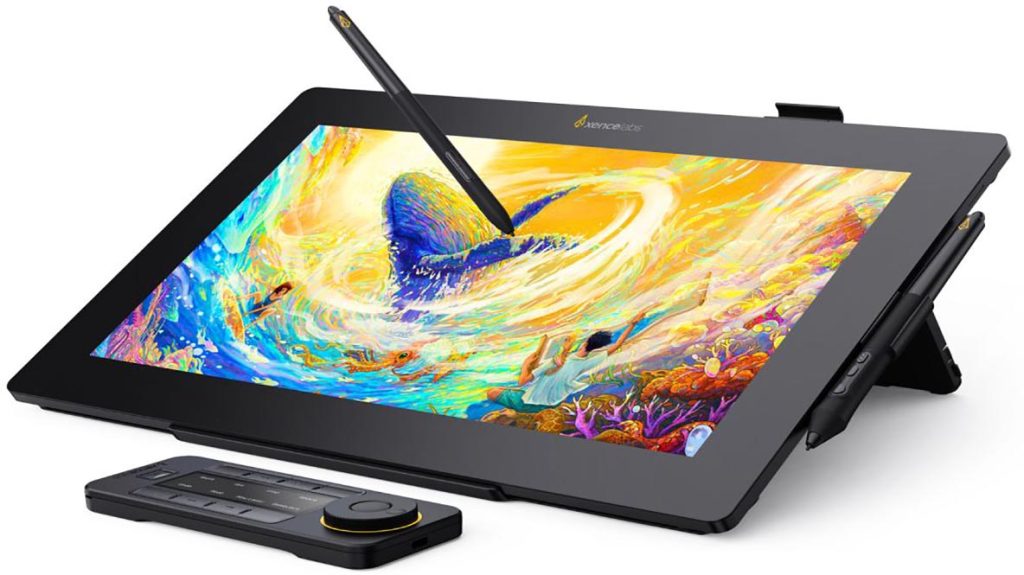
1. Xencelabs Pen Display 16
When I first got my hands on the Xencelabs Pen Display 16, it felt like a premium art tool the moment I peeled off the packaging. The 16-inch 4K screen is brilliantly sharp, boasting a 99% AdobeRGB color gamut that truly brings artwork to life. Colors pop. Lines feel precise. And the included Quick Keys remote? A godsend for shortcuts.
The pen pressure sensitivity (8,192 levels) is flawless, and it doesn’t require charging—huge win. This display feels tailor-made for professionals who want quality without jumping to a 27-inch behemoth.
You can find it at trusted U.S. retailers like Amazon, B\&H, and Best Buy.
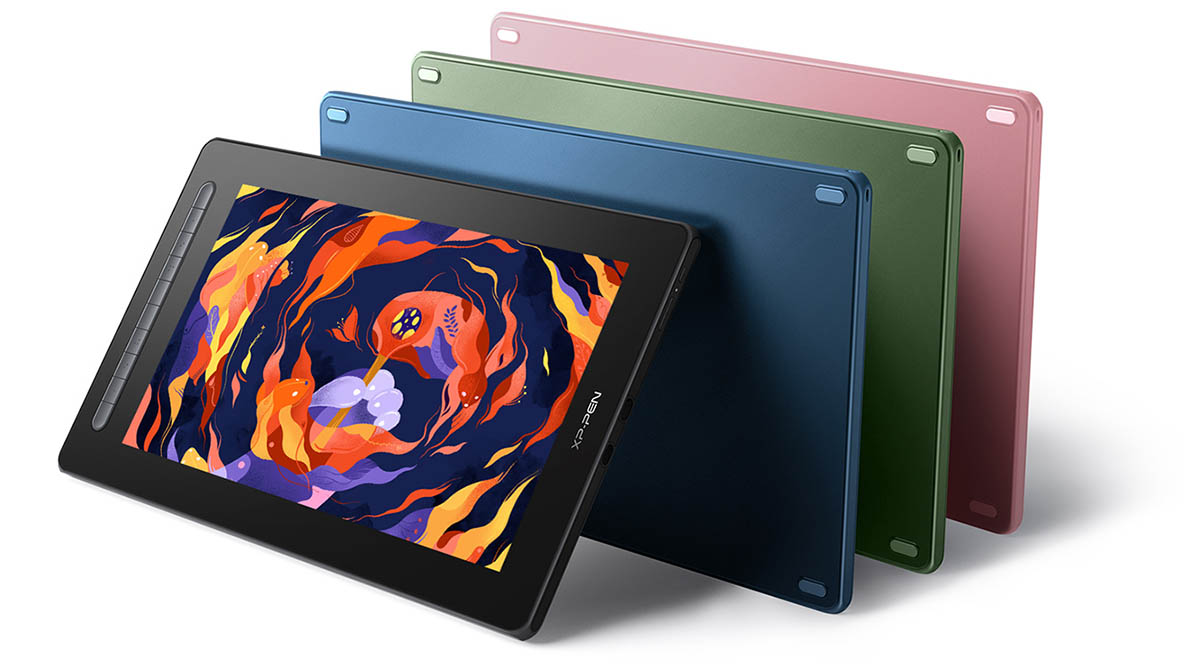
2. XP-Pen Artist Pro 16 (2nd Gen)
I didn’t expect this much from a mid-range drawing tablet, but XP-Pen really surprised me. The Artist Pro 16 Gen 2 hits that sweet spot between affordability and performance. The 2.5K resolution is crisp enough for detailed illustration, and the updated stylus has 16,000+ levels of pressure sensitivity—twice the industry norm.
The biggest downside? The fixed 19-degree stand angle. But if you’re okay with a bit of DIY adjustment or getting a separate stand, you’re looking at a powerhouse.
Buy it through Amazon or AliExpress for competitive pricing.
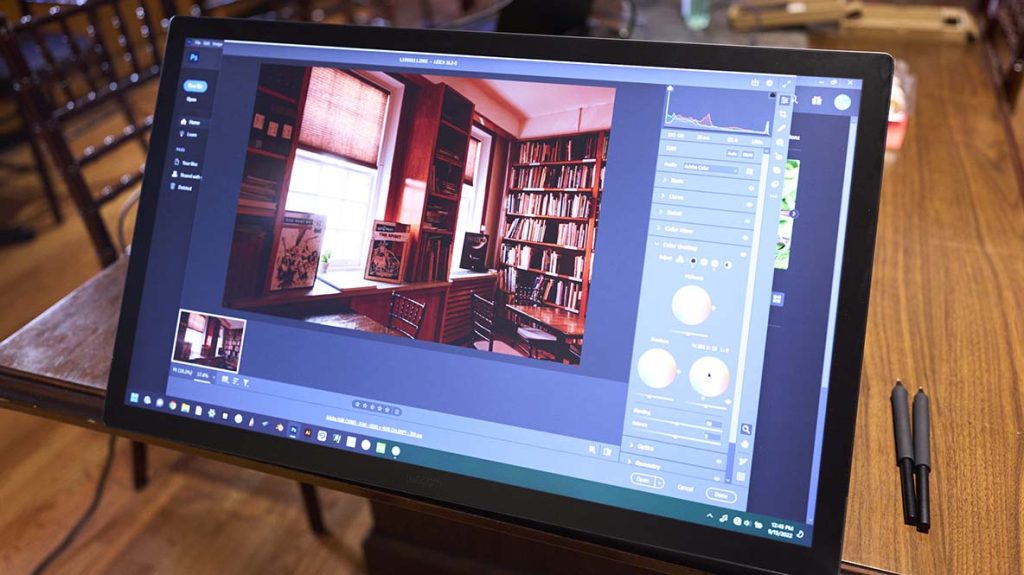
3. Wacom Cintiq Pro 27
There’s Wacom—and then there’s the Wacom Cintiq Pro 27. This monster is the gold standard in high-end pen displays, with a massive 27.9-inch 4K screen, 120Hz refresh rate, and stunning 30-bit color depth.
Is it expensive? Absolutely. Is it worth it? If you’re a full-time illustrator or animator, I’d argue yes. The extra screen real estate alone changes how you interact with your workspace.
Get it from Amazon or B\&H with caution: you’ll need a sturdy desk and a strong back.
4. iPad Pro 13 (2024, M4)
The iPad Pro (13-inch, M4 chip) is the tablet I reach for when I want both power and portability. This isn’t just a drawing tablet—it’s a complete mobile workstation.
Pair it with the Apple Pencil Pro (sold separately), and you get hover support, squeeze gestures, and phenomenal latency. The OLED screen is bright and crisp, and with 120Hz ProMotion, it’s silky smooth.
If you’re into multitasking or use Procreate, Fresco, or Affinity Photo, this is a top-tier mobile solution. I usually pick mine up at the Apple Store, Best Buy, or Amazon.
5. Xencelabs Pen Tablet Medium Bundle
This is hands-down my favorite traditional pen tablet. It’s not a screen-based tablet; instead, it works as a pen input device for your laptop or desktop. The drawing surface is textured, the pens (yes, two pens included) are battery-free, and the Quick Key remote is an unexpected bonus.
It’s perfect if you want a tactile drawing experience without breaking the bank.
Available at B\&H, Amazon, and Xencelabs’ own website.
6. Wacom Movink
If portability is your top priority, Wacom Movink is your best bet. It’s lightweight, only 4mm thick at its thinnest point, and the OLED screen is an absolute beauty. While it maxes out at 1080p and doesn’t have built-in legs or a pen holder, it’s compact and reliable.
The Pro Pen 3 that ships with it is the same used by Wacom’s high-end devices, which speaks volumes. If you’re a mobile creator, or someone working between coffee shops and home, Movink will not disappoint.
Order it from Amazon, Walmart, or Wacom’s U.S. site.
7. Huion Kamvas Studio 16
This is not just a drawing tablet—it’s a full-blown Windows 11 PC. The Kamvas Studio 16 comes equipped with a bright 2.5K screen, a stylus with 8,192 pressure levels, and even front-facing speakers.
It’s heavier and bulkier than an iPad, and lacks shortcut buttons, but it replaces the need for a separate computer altogether. Perfect for artists who want an all-in-one Windows drawing experience.
Look for deals at Amazon or Huion’s official site.
8. XP-Pen Magic Drawing Pad
This Android-based drawing pad is one of the best entry-level tablets around. It has solid pressure sensitivity, a decent display, and can operate independently without a computer.
It’s not blazing fast, and you’ll notice occasional lag on complex drawings, but it’s a great option for students or beginners looking for a cheap, flexible sketching tool.
You can buy this from Amazon or Walmart.
9. Wacom One 13 Touch
This is the perfect starter display for students. The Wacom One 13 Touch has a 13.3-inch Full HD screen, multitouch gestures, and a solid drawing surface. It even supports third-party pens, which is a rare treat.
It’s lightweight and easy to carry around, though you’ll miss having shortcut keys or an adjustable stand. But for quick sketches and school work, it delivers exactly what you need.
Available at Best Buy, Amazon, and B\&H.
10. iPad Air 13 (2024, M2)
iPad Air offers nearly everything the iPad Pro does—just with a smaller price tag. It’s perfect for hobbyists and semi-professionals who want great performance but don’t need every pro feature.
You still get Apple Pencil Pro compatibility, a large 13-inch screen, and strong battery life. I’ve used it for travel sketching and light illustration work, and it holds up brilliantly.
I recommend grabbing it from the Apple Store, Best Buy, or Amazon depending on deals.
11. Surface Pro 9
The Surface Pro 9 feels like Microsoft’s love letter to artists in the Windows world. With the Slim Pen 2, you get tactile feedback and pressure sensitivity, and the 3:2 screen ratio gives you more vertical space to draw.
It’s a laptop-tablet hybrid that works beautifully for digital art and runs full desktop programs like Photoshop or Clip Studio Paint.
Order it from Microsoft’s site, Amazon, or Walmart.
12. Amazon Fire HD 10 Kids
You might not expect this on a list of drawing tablets, but if you’re shopping for a young child, don’t overlook the Fire HD 10 Kids. It’s rugged, affordable, and full of kid-safe apps.
While it lacks pressure sensitivity, it does support basic styluses and apps like Kids Doodle or Tux Paint. It’s a fun way to introduce creative tools without investing in pro gear.
Buy from Amazon directly—they often have bundle deals with cases and parental controls.
How to Choose the Right Drawing Tablet
The perfect drawing tablet doesn’t exist—only the one that’s perfect for your workflow.
Start by asking yourself:
- Do I need portability or a fixed workstation?
- Will I work on my lap, desk, or while traveling?
- Do I prefer drawing directly on a screen or looking up at a monitor?
- Am I using Windows, macOS, Android, or iPadOS?
- Do I already use specific creative software like Procreate, Photoshop, or Krita?
If you’re always mobile: Get an iPad Pro or iPad Air. They’re unmatched in portability and app support.
If you want power and precision: Go for a Wacom Cintiq Pro or Xencelabs Pen Display. They’re expensive, but they are unmatched in responsiveness.
If you’re on a budget: XP-Pen and Huion have dozens of budget-friendly options that still feel amazing to draw on. Wacom One 13 Touch is also a great beginner pick.
If you’re looking for an all-in-one solution: The Kamvas Studio 16 or Surface Pro 9 will let you run full creative suites without needing another device.
If you want the traditional pen tablet experience: Xencelabs’ Pen Tablet Medium Bundle is the top choice. Smooth workflow, great pressure curves, and fewer distractions.
Where to Buy in the U.S.
Here are the most reliable and competitive platforms to shop for drawing tablets:
- Amazon: Best for fast delivery, return policy, and competitive prices.
- B\&H Photo Video: A trusted name among creatives with great bundles and warranties.
- Best Buy: Physical stores for hands-on experience and open-box discounts.
- Apple: For all iPad models and accessories.
- Microsoft Store: For Surface Pro and accessories.
- Wacom: Direct source for all Wacom products, support, and accessories.
- Huion and XP-Pen: Official manufacturer sites, often with exclusive sales or student discounts.
Create Without Compromise
No matter your style, skill level, or budget, the right drawing tablet should feel like an extension of your hand—not a hurdle between you and your creativity. Whether you’re sketching character designs on an iPad Pro, fine-tuning illustrations on a Cintiq Pro, or getting started with an affordable XP-Pen, what matters most is that your tool empowers you, not overwhelms you.
The best device isn’t always the most expensive—it’s the one that helps you stay in the flow, supports your software of choice, and fits naturally into your creative rhythm.
In the end, don’t chase specs—chase usability. Invest in the device that disappears when you’re working. Because when the tablet fades into the background, that’s when the real art begins.


+ There are no comments
Add yours